
Cybersecurity is one of those topics that just about every industry is talking about more than it used to – but maybe not to the point where people really believe it’s personal to them.
Anyone who operates in and around the ports of Wilmington, Morehead City and Charlotte found out last week just how personal cybersecurity can be.
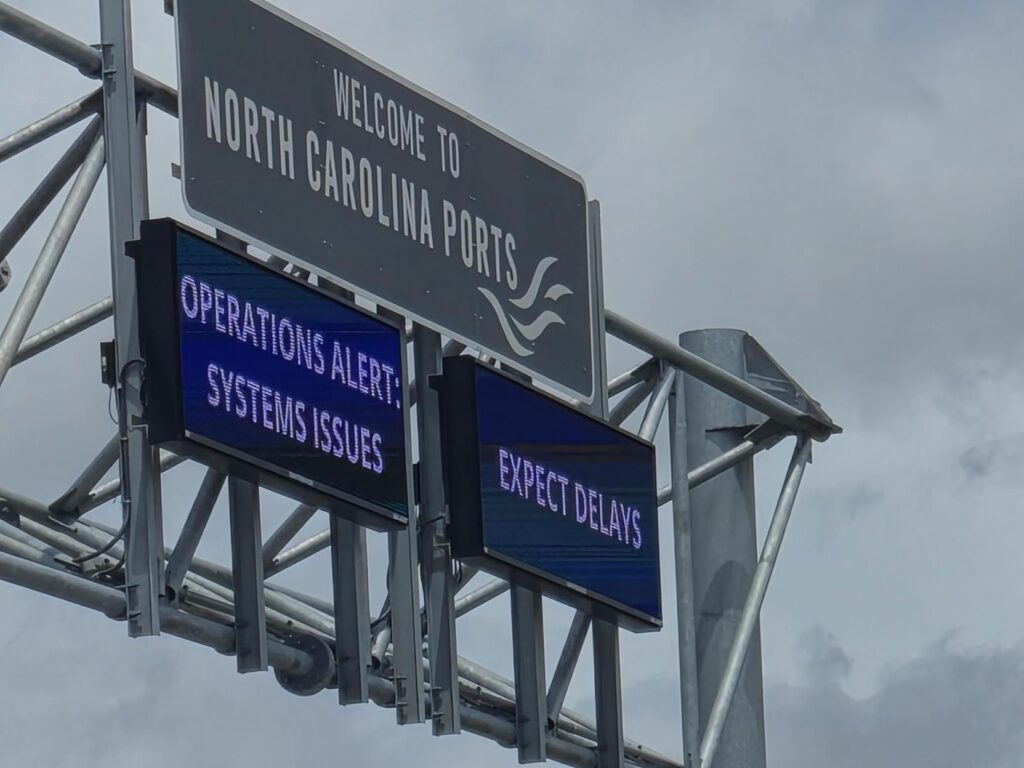
Cyberattackers hit the North Carolina State Ports Authority last week, disrupting IT systems at the three above-mentioned ports – forcing terminal operations into manual processing mode even as the Ports Authority immediately implemented an incident response plan.
There’s still a lot we don’t know, especially how the threat actors got access to the Ports Authority’s system. The official announcement didn’t reveal if any ransomware was involved or if any data was stolen. And it took until the end of the week for normal gate operations to resume.
It remains to be seen what the total impact will be on shipments and cargo tracking. So far the overall U.S. supply chain appears to be holding up fairly well from the disruption.
Good thing the Ports Authority had an incident response plan ready. And this can and should be a cautionary tale for everyone in logistics.
Our industry was somewhat late to digitize, which means many in the industry have been even further behind on the implementation of cybersecurity measures. The bad guys know that. They also know how high the stakes are if they can take out a major component of our supply chain.
And anyone in the industry can be a target, because the industry is so interrelated that hackers can impact a great many companies by getting into the system of only one.
So what can you do?
We reached out to friends who report on cybersecurity extensively, and here is what they’re hearing from the experts:
- Be sure you’re backing up your data continually, and that the backed up data is stored offline and disconnected to your system. Even cloud-based data backup is not completely safe from cyberattacks, so you want a physical copy of your data living somewhere that no cyberattacker can touch. When ransomware hackers manage to encrypt your data, and you don’t have any backup, this is when they can force you to pay a ransom. So by all means, back it up. It’s not that complicated to do, but you have to do it.
- Combine a good backup with a reliable disaster recovery protocol, so that even if an attacker manages to access your system and compromise your data, you can be back up and running quickly.
- Teach your team members about phishing emails, because this is the most common method by which cyberattackers gain access. These look like legitimate emails, often from someone you know (or so it appears), and they are usually asking you to click a link or open an attachment. Once you do, they’re in. Look carefully at the sender’s email address, and double-check to make sure links and attachments really come from the person the email claims they did. Some of the really sophisticated phishing attacks involve deep-fake videos that appear to be from the recipient’s CEO, directing them to take a certain action. Warn your people to be wary of these.
- Keep up on patching. We realize we’re getting into a bit of IT-speak here, but those updates your computer wants to run often include “patches” that close off vulnerabilities in your system. Your IT team should be aware of this, and a continued commitment to keeping up on the patching as they are released can close off openings for cyberattackers to penetrate your system.
These are just the basics. We’re not presuming to offer the complete story on all things cybersecurity. And for much of this you would probably be smart to bring in some outside experts who can help.
But if you at least start with these items, you’ll be much further ahead than far too many companies who are sitting ducks for the digital bad guys.
The damage from the attack on the North Carolina Ports was limited. We’re grateful for that. But there’s no guarantee that the next attack isn’t far worse, and we don’t want you to be the target.